Meta (Facebook) Pixel - Minform Help
minformMinform
Create a form

  • Create a form
  • Embed your form
  • Page types
  • Using Keyboard Shortcuts
  • Form History (versioning)
  • Spaces and Team members
  • View Responses

  • Zapier Integration
  • Meta (Facebook) Pixel
  • Google Analytics
  • Webhooks
  • Email notifications
  • Sync forms with google sheets

  • Form Analytics Dashboard
  • Mastering AI Prompts for Form Modification
  • Custom Code Injection
  • How to setup custom domain for your forms
  • AI Credit System for Minform
  • How to rename forms
  • How to assign scores to quiz forms
  • Enabling RTL (Right to Left) support
  • How to auto-save form response
  • Conditional Logic, Calculator, and Variable Mentions
  • How to create a multi column form
  • How to add a progress bar to a form
  • How to create a quiz form with time limit
  • Building Outcome & Personality Quizzes with AI
  • Collect Payments on Your Forms with Stripe
  • Auto-generating feedback for quiz with AI
  • Show Quiz Answers on Results Page
  • How to customize error messages in minform
  • Timer Access Codes for Secure Quizzes
  • Add Media to Questions
  • How to Protect Forms with CAPTCHA
  • Translate Forms to Any Language
minformMinform

Build smarter quizzes and forms with AI. Product recommendations, lead qualification, assessments — describe what you need, AI builds it.

Become an Affiliate

Product

  • Features
  • Integrations
  • Pricing
  • AI Form Builder
  • AI Survey Builder
  • AI Quiz Maker
  • AI PDF to Quiz Maker
  • Lead Gen Quiz
  • Vocabulary Quiz Maker
  • Image to Quiz Maker

Free Tools

  • PDF to Quiz
  • Vocabulary Quiz
  • Spelling Test
  • Multiple Choice Quiz
  • YouTube to Quiz
  • URL to Quiz
  • Grammar Quiz
  • Reading Comprehension
  • Product Recommendation
  • True/False Quiz
  • Image to Quiz
  • View All Tools

Resources

  • Templates
  • Blog
  • Help Center
  • Changelog
  • Affiliate Program

Compare

  • Minform vs Typeform
  • Minform vs Google Forms
  • Minform vs JotForm
  • Minform vs SurveyMonkey
  • Minform vs Tally

Support

  • Privacy Policy
  • Terms of Service

© 2026 Minform. All rights reserved.

Meta (Facebook) Pixel

Minform integrates with Meta Pixel (formerly Facebook Pixel) to help you track visitor activity and measure the effectiveness of your advertising.

NOTE : This feature is available on Pro and Business plans.

How to Connect

  1. Open your form in the Minform dashboard.
  2. Go to the Connect tab.
  3. Click on Meta Pixel.
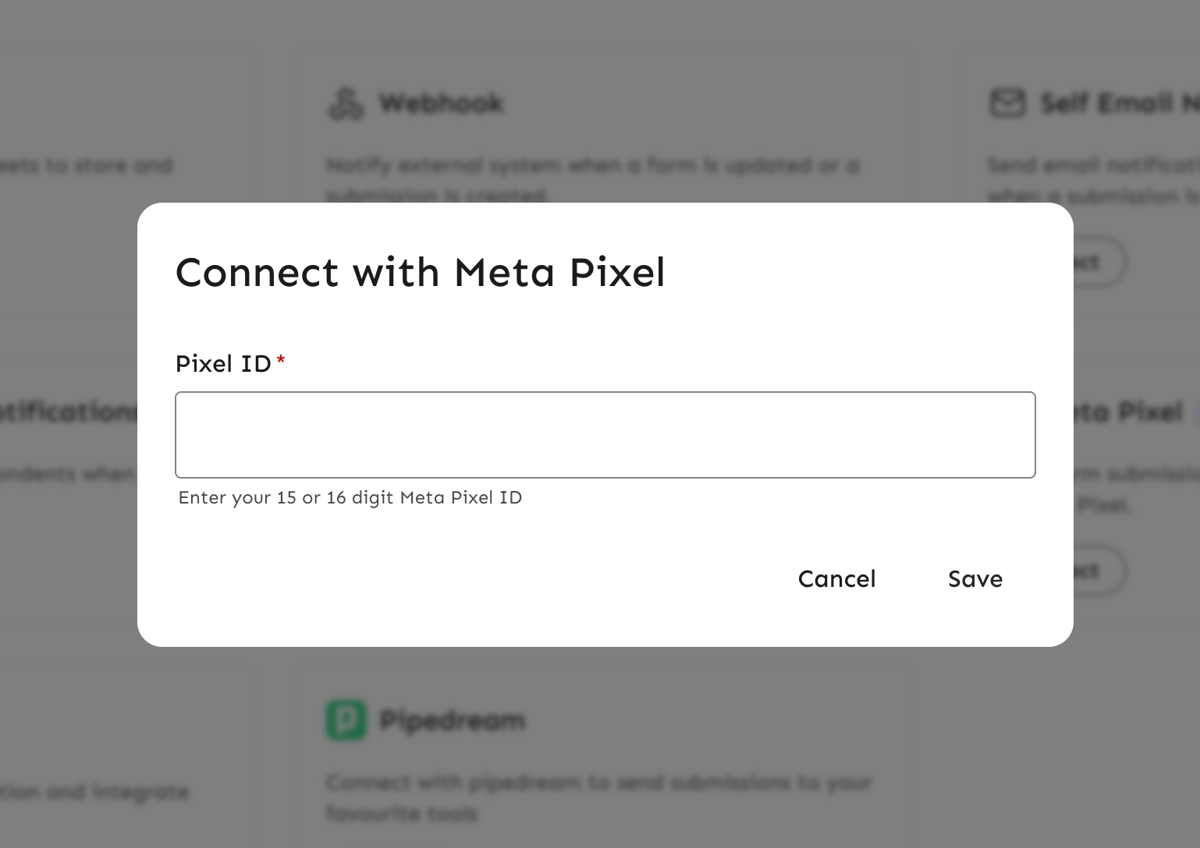
  4. Enter your Pixel ID (15 or 16 digit number).
  5. Click Save.
Screenshot 2026-04-02 at 4.33.40 PM

Tracked Events

Minform sends the following events to your Meta Pixel:

1. Page Views (Standard)

  • Event Name: PageView
  • Trigger: Fired automatically when the form loads and on every page navigation.

2. Minform Page Views (Custom)

  • Event Name: minform_page_view
  • Trigger: Fired alongside the standard PageView event, providing specific form context.
  • Parameters:
    • url: The URL of the form.
    • page: The page number (e.g., 1, 2).

3. Form Submissions

  • Event Name: Lead (Standard Event)
  • Trigger: Fired when a user successfully submits the form.
  • Parameters:
    • content_name: The name of the form.
    • source: 'Minform'


Verifying the Integration

To verify that your Pixel is working:

  1. Install the Meta Pixel Helper Chrome extension.
  2. Open your form in a new tab.
  3. Click the Pixel Helper icon in your browser toolbar.
  4. You should see both PageView and minform_page_view events fire when the page loads.
  5. Submit the form and check for the Lead event.